
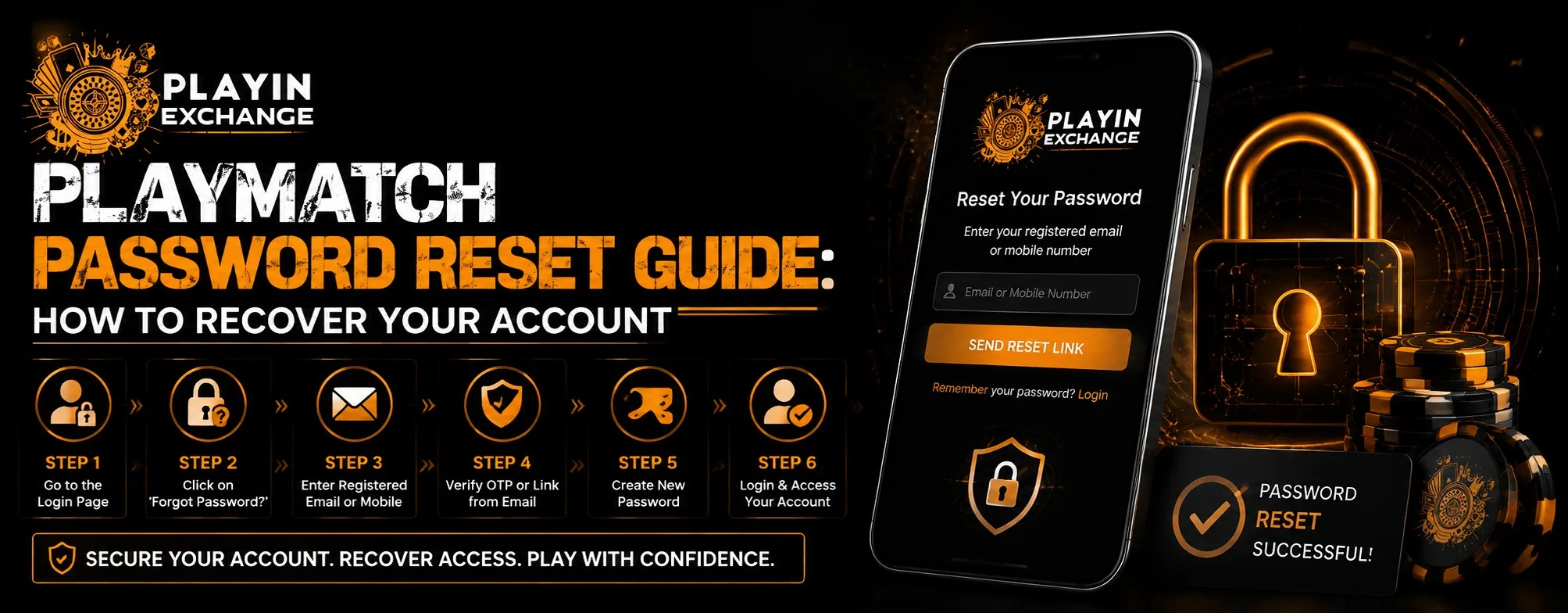
Forgetting a password can turn a simple login into a frustrating experience. Whether you have not used your account for a while or simply entered the wrong password too many times, having a clear recovery process makes a difference. In this guide, we explain how users can approach a Playmatch password reset, what to check when recovery does not work, and how to create better password habits for future access. A straightforward recovery system is important because customers increasingly expect online platforms to make account access both convenient and secure.
Why Password Recovery Matters
A password reset is more than a way to regain access. It is also an important part of account security. A good recovery process should confirm that the person requesting access is the legitimate account holder without making the process unnecessarily complicated.
Modern users expect quick and understandable account recovery. They do not want to spend a long time searching through menus or repeatedly submitting information without knowing what went wrong. Security guidance from major online services also recommends maintaining reliable recovery information and using strong, unique passwords.
For businesses, this creates an important balance. The process needs to provide comfort and ease of use while still protecting customer accounts from unauthorized access.
How to Start a Playmatch Password Reset
The exact buttons and recovery options can vary depending on the current website interface. However, the general process usually follows a familiar pattern:
- Open the official Playmatch login page.
- Look for a Forgot Password, Reset Password, or similar option.
- Enter the account information requested on the recovery screen.
- Complete any verification step provided.
- Check the registered email address, phone number, or other available recovery method.
- Follow the instructions in the recovery message.
- Create a new password and try signing in again.
Users should make sure they are accessing the legitimate website before entering account credentials. Avoid using password recovery links sent by unknown individuals or unofficial sources.
What If the Reset Link or Code Does Not Arrive?
One of the most common problems during account recovery is not receiving the verification message. Before assuming that the reset system is unavailable, check the basics.
First, confirm that the email address or mobile number entered is associated with the account. Then check the spam, junk, or promotional folders if recovery is being handled through email. Also make sure your internet connection is stable and that you have not accidentally requested several recovery messages in quick succession.
Some services temporarily limit recovery attempts after repeated unsuccessful requests as a security precaution.
If an older reset message has expired, start the process again and use the newest recovery link or code provided.
Creating a Better Password After Recovery
Once access has been restored, do not simply return to an old password. A reset is a good opportunity to improve account security.
A strong password should be difficult to guess and should not contain obvious personal information such as birthdays, phone numbers, names, or simple number sequences. Using a unique password for each important account also reduces the impact if another service experiences a credential leak. Google recommends using longer passwords and avoiding previously used or easily guessed combinations.
For example, avoid passwords based on:
- Your name or nickname
- Birth dates
- Mobile numbers
- Simple sequences such as 123456
- Common words or predictable patterns
- A password already used on another website
A trusted password manager can also make it easier to maintain different passwords without having to remember every combination manually.
Improving Ease of Use and Customer Experience
Password recovery is often overlooked when discussing customer experience, but it can strongly influence how users feel about a platform.
A well-designed recovery journey should provide clear instructions, readable messages, sensible verification steps, and useful feedback when something goes wrong. Customers should not have to guess whether a request was submitted successfully or whether they need to try again.
This is especially important as people move between phones, computers, and different browsers. A versatile account recovery experience should remain understandable across devices rather than being designed around only one type of user.
For us, customer experience should mean more than simply providing access. It should also mean making routine account-management tasks understandable and less stressful.
Security Should Come Before Convenience
Easy recovery should never mean weak security. Password-reset systems need safeguards to prevent someone else from taking over an account.
Users should never share passwords, one-time verification codes, or recovery links with another person. If someone contacts you claiming to provide account recovery assistance, treat the request cautiously. Legitimate support processes should not require you to disclose your password.
If you successfully regain access after suspecting unusual activity, review your account details and change any security information that you do not recognize. Recovery guidance from Google similarly recommends checking account activity and securing compromised accounts after suspicious access.
Thoughtful Account Management for Long-Term Value
Good password habits are a small investment that can prevent larger problems later. Keeping recovery details current, using unique credentials, and checking account activity periodically can make future access much easier.
This also reflects changing customer expectations. People increasingly expect digital services to provide both convenience and responsible security. They want fewer unnecessary steps, but they also want confidence that their account is protected.
A thoughtful approach therefore focuses on both sides: make recovery simple when the legitimate user needs it, while maintaining appropriate checks against unauthorized access.
Playmatch Password Reset: Common Mistakes to Avoid
When recovering an account, avoid repeatedly entering random passwords or using unverified recovery links. Do not create another weak password simply because it is easier to remember.
It is also worth checking whether the problem is actually related to the password. A browser issue, outdated saved credential, incorrect username, or temporary connection problem can sometimes look like a password failure.
If the normal recovery process does not work, use the platform’s official customer-support channel and provide only the information necessary to verify account ownership.
Conclusion
A forgotten password does not necessarily mean you have lost access permanently. By using the official recovery process, checking your registered contact details, following verification instructions, and creating a strong new password, you can approach account recovery in a more organized way. Playinmatch users should also treat passwords and verification codes as private information and avoid sharing them with anyone claiming to offer account assistance.
Good recovery practices provide more than convenience. They contribute to a better customer experience, stronger security, and more reliable long-term account management.
FAQs
1. What should I do if I forget my Playmatch password?
Use the official login page and look for the password recovery or forgot-password option. Follow the verification instructions provided for your account.
2. What if I do not receive the password reset message?
Check your spam or junk folder, confirm that you entered the correct registered contact information, and request a new recovery message if necessary.
3. Should I reuse my previous password?
It is better to create a new, unique password rather than reuse an old password. Unique passwords reduce the risk associated with password reuse.
4. Can I share my reset code with customer support?
Do not share passwords or one-time verification codes with other people. Use only the official support process provided by the platform.
5. How can I avoid forgetting my password again?
Consider using a reputable password manager and keeping your recovery information current. These practices can make future account recovery easier.