Verification is an important part of creating and maintaining an online account. It helps platforms confirm account details, protect users from unauthorized access, and reduce problems caused by incorrect information. However, verification can sometimes become frustrating when a code does not arrive, submitted details are rejected, or the process appears to remain incomplete. Playmatches users experiencing these issues can usually start by checking their account information, internet connection, and the instructions shown during verification.
Understanding why verification fails can make the process much easier. Instead of repeatedly submitting the same information, users can identify the likely cause and take a few practical steps before contacting customer support.
Why Does Account Verification Matter?
Verification is more than an administrative step. It can contribute to account security and help ensure that the information connected to an account is accurate.
For users, a properly completed verification process can provide greater confidence when accessing their accounts. It may also reduce the possibility of problems caused by incorrect contact details or duplicate information.
From a platform perspective, verification supports a more controlled account environment. It can help protect customer accounts and make it easier to identify unusual access or account-related concerns.
Common Reasons Verification May Fail
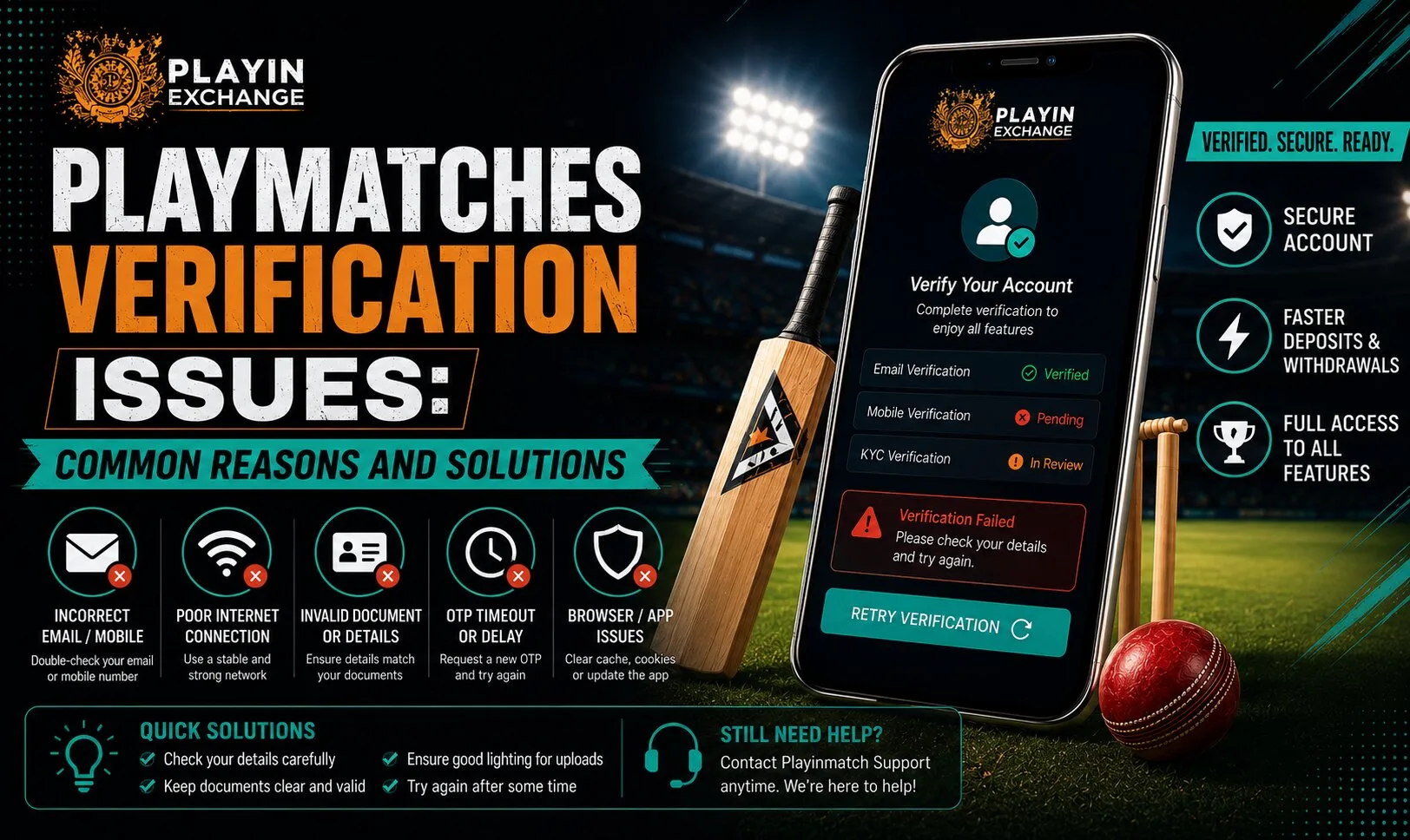
There are several reasons why verification may not work as expected. One of the most common is incorrect information.
A small spelling difference, an outdated phone number, or an incorrect email address can prevent the system from matching the submitted details. Users should carefully review every field before submitting the information again.
Another issue can be an expired verification code. Many verification codes are designed to work for only a limited period. If a user waits too long before entering the code, the previous code may no longer be valid.
Technical problems can also interfere with verification. A weak internet connection, outdated browser, temporary server issue, or browser settings may prevent a verification page from loading correctly.
Check Your Information Carefully
The simplest solution is often to review the information already entered.
Make sure your email address and phone number are correct and accessible. If the platform requests additional information, enter it exactly as required rather than using shortened or informal versions.
Users should also avoid repeatedly changing their details while trying to complete verification. Frequent changes can create additional confusion and make it harder to determine which information is currently associated with the account.
Taking a few extra seconds to check the details can improve the overall ease of use and reduce unnecessary attempts.
What to Do When the Verification Code Does Not Arrive
A missing verification code can be particularly frustrating. First, check whether the message has been delivered to a spam, junk, or filtered folder if the code is being sent by email.
For SMS verification, check that the phone has network coverage and can receive messages. Waiting briefly before requesting another code can also help.
If multiple codes are requested, use the most recent valid code rather than an older message. Entering an expired or previously replaced code may result in another verification failure.
If the code still does not arrive after reasonable troubleshooting, contacting the platform’s official support channel is generally the better option than repeatedly requesting new codes.
Browser and Device Problems
Verification does not always fail because of account information. Sometimes the problem comes from the device or browser.
Try refreshing the page and checking whether your internet connection is stable. If the issue continues, opening the verification page in another supported browser may help identify whether the original browser is causing the problem.
Keeping the browser and operating system reasonably updated can also support a smoother experience. Clearing outdated cached data may help when a page repeatedly loads incorrectly.
These basic checks are useful because they are quick, low-risk, and do not require users to change important account information.
Quality, Comfort, and Customer Experience
A good verification process should be clear enough for users to understand what is required. Complicated instructions can make a simple security step feel unnecessarily difficult.
For customers, quality is not only about the platform’s visible features. It also includes how easily users can complete routine tasks and understand what happens when something goes wrong.
Clear messages, simple instructions, and accessible support can improve the overall experience. When users know why verification has failed and what they should do next, the process becomes more comfortable and less stressful.
When Customer Support May Be Necessary
If basic troubleshooting does not resolve the issue, customer support may be the appropriate next step.
Before contacting support, users should note the exact error message, the approximate time the problem occurred, and the verification method they were using. This information can help support staff understand the situation more efficiently.
Avoid sending sensitive passwords or unnecessary private information through unofficial channels. Use the platform’s legitimate support options and follow the instructions provided there.
For Playmatches, users should rely on the current official account and support instructions rather than information shared by unknown third parties.
How Verification Fits Changing Customer Expectations
Online customers increasingly expect digital services to be quick, straightforward, and easy to understand. Verification still needs to provide security, but it should not create unnecessary friction.
This is where versatility and thoughtful design matter. Users may access an account from different devices and connections, so verification systems need to work reliably across common situations.
Long-term customer value also depends on trust. A platform that communicates clearly about account security and verification can create a more predictable experience for users.
A More Thoughtful Approach to Account Security
Security should not be treated as something users think about only when a verification problem occurs. Good account habits can make future access easier and safer.
Users should keep their account information accurate, avoid sharing verification codes, and be cautious about links received from unknown sources. They should also use official channels when seeking assistance.
This approach represents thoughtful decision-making because it focuses on preventing avoidable problems instead of reacting to them later. It can also reduce unnecessary verification attempts and improve the overall digital experience.
Conclusion
Verification is an important part of maintaining a secure and dependable online account experience. Most problems can be approached methodically by checking account details, verification codes, device settings, browser performance, and the instructions provided by the platform. A clear process benefits both customers and the service by reducing confusion and supporting better account security.
For users dealing with Playinmatch verification issues, patience, accurate information, and official support channels are usually the most sensible starting points. Taking a careful approach can make account access more comfortable while supporting a safer and more reliable long-term experience.
FAQs
Why is my Playmatches verification not working?
Verification may fail because of incorrect account information, an expired code, technical problems, browser issues, or temporary service difficulties. Check the information and follow the current instructions shown on the platform.
What should I do if I do not receive a verification code?
Check your email’s spam or junk folder, confirm that your phone can receive SMS messages, and wait briefly before requesting another code. If the issue continues, use the official support option.
Can an incorrect phone number cause verification problems?
Yes. If the phone number connected to an account is incorrect or inaccessible, receiving and completing SMS verification may not be possible.
Should I keep requesting new verification codes?
Repeatedly requesting codes may create confusion because older codes can become invalid. It is generally better to wait briefly and use the latest valid code.
Can browser problems affect verification?
Yes. Outdated browsers, cached data, unstable connections, or temporary browser errors can sometimes interfere with verification pages.
When should I contact customer support?
Contact support when you have checked your account information, tried basic technical troubleshooting, and still cannot complete verification. Provide the relevant error message without sharing passwords or verification codes.